Git
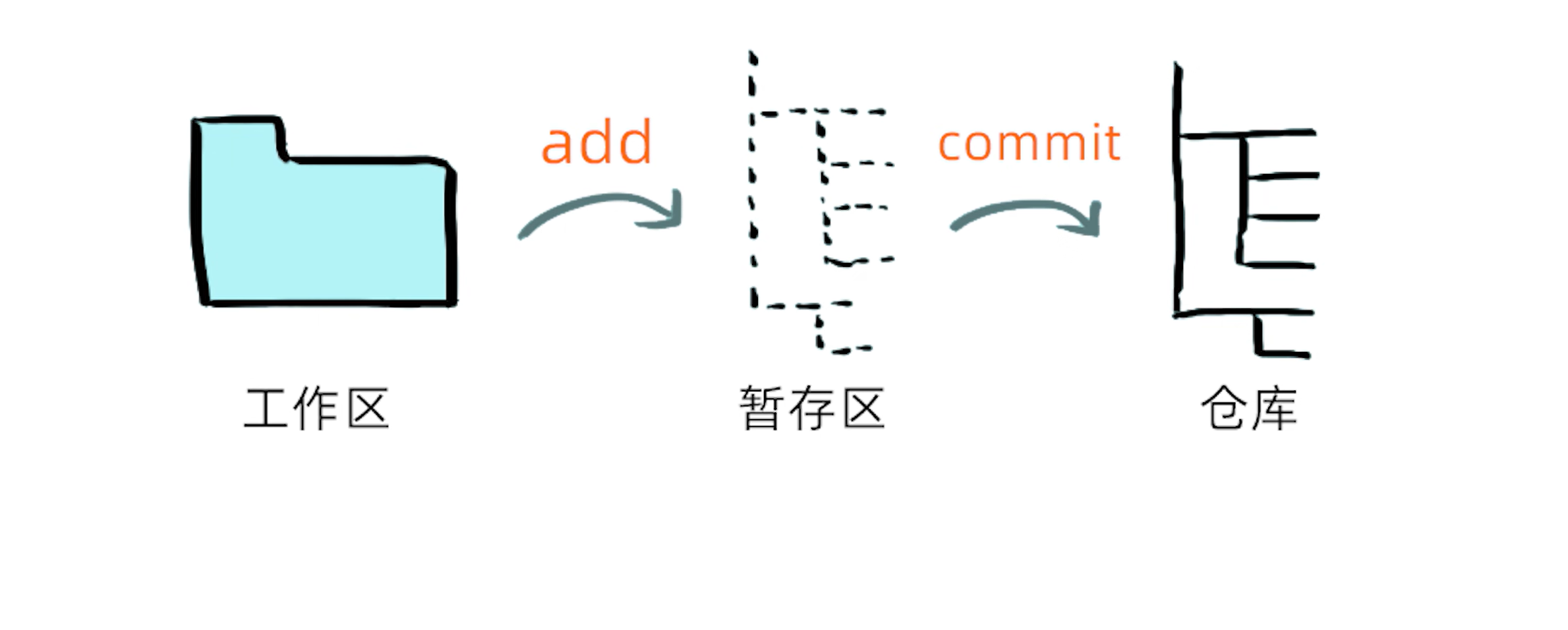
状态
状态解释图
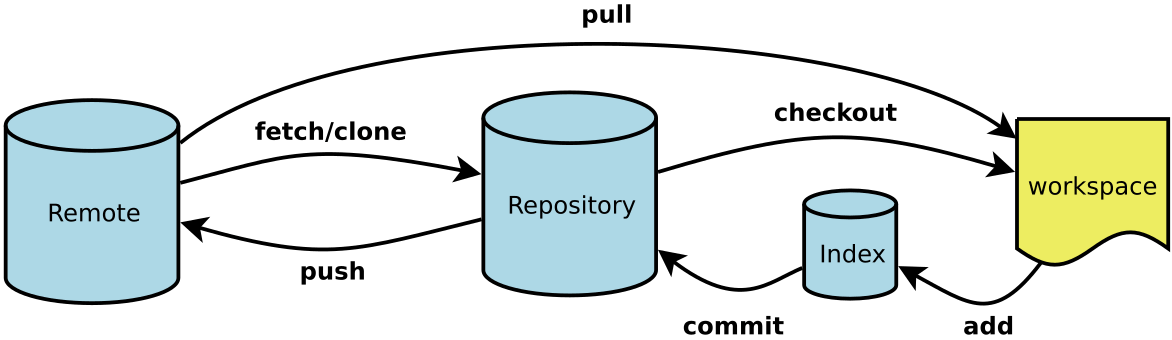
此文档基于 Gitee,用来学习 Git 的一些列操作。
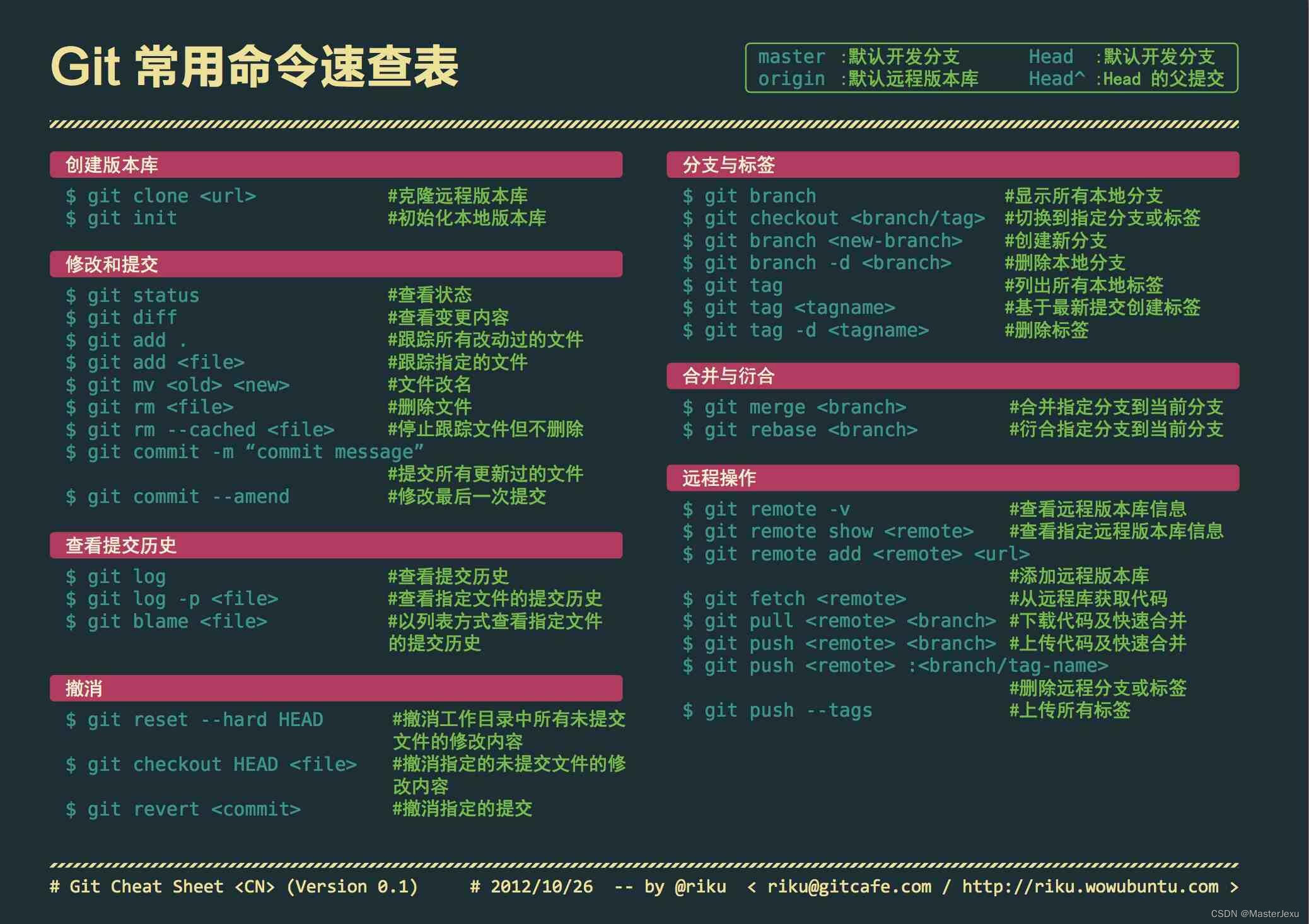
速查表
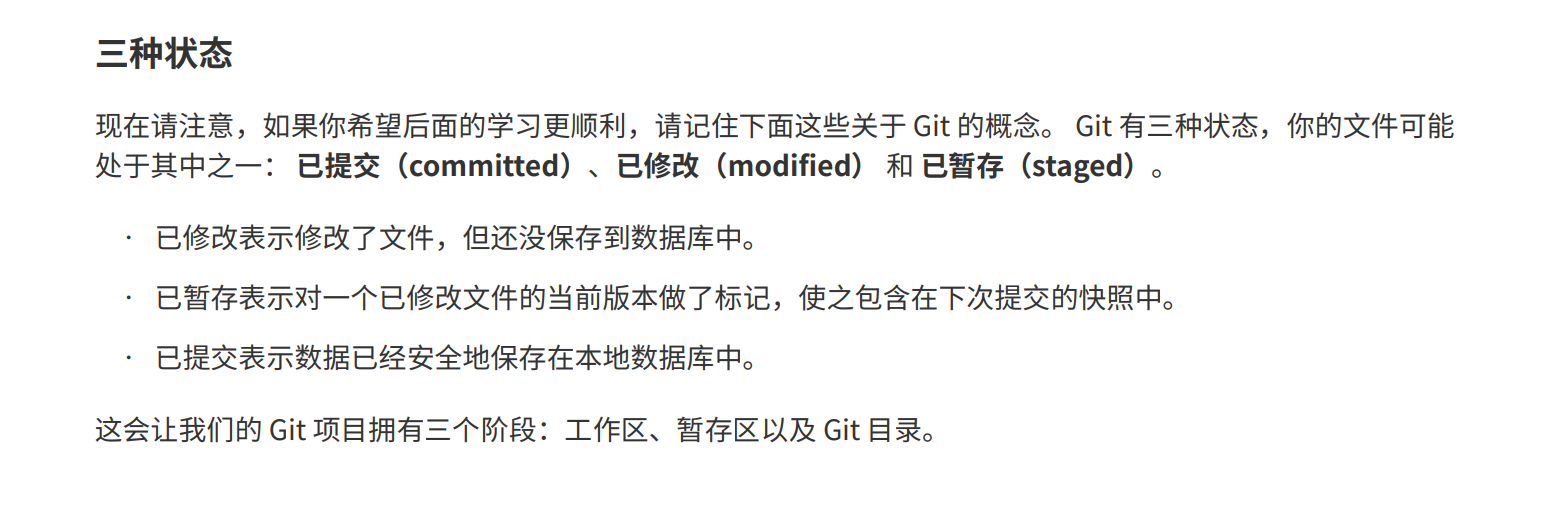
Git的三种状态
Repository - 仓库
Branch - 分支
Commit - 提交
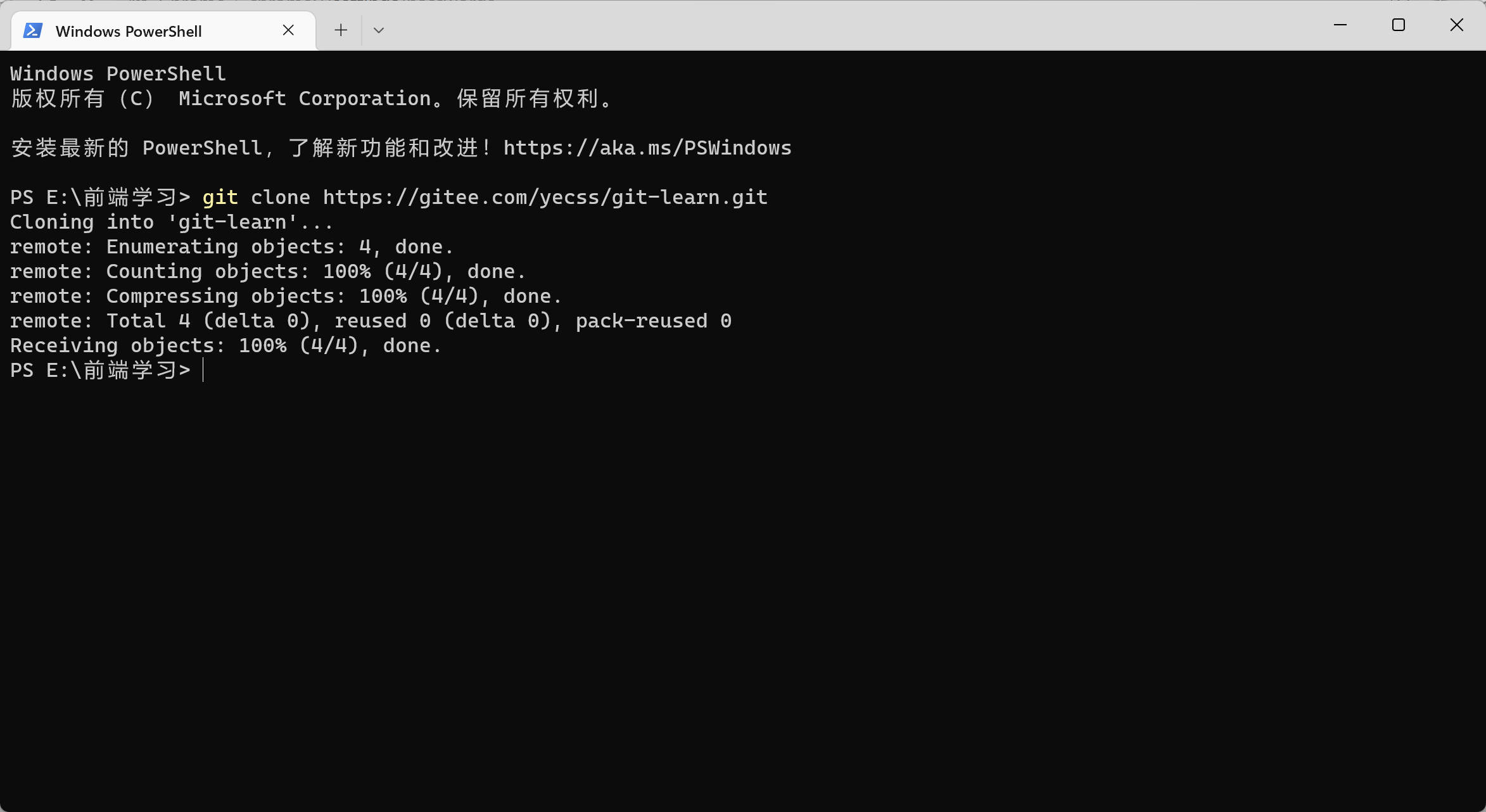
克隆项目
bash
git clone https://gitee.com/yecss/git-learn.git接着需要输入密码,
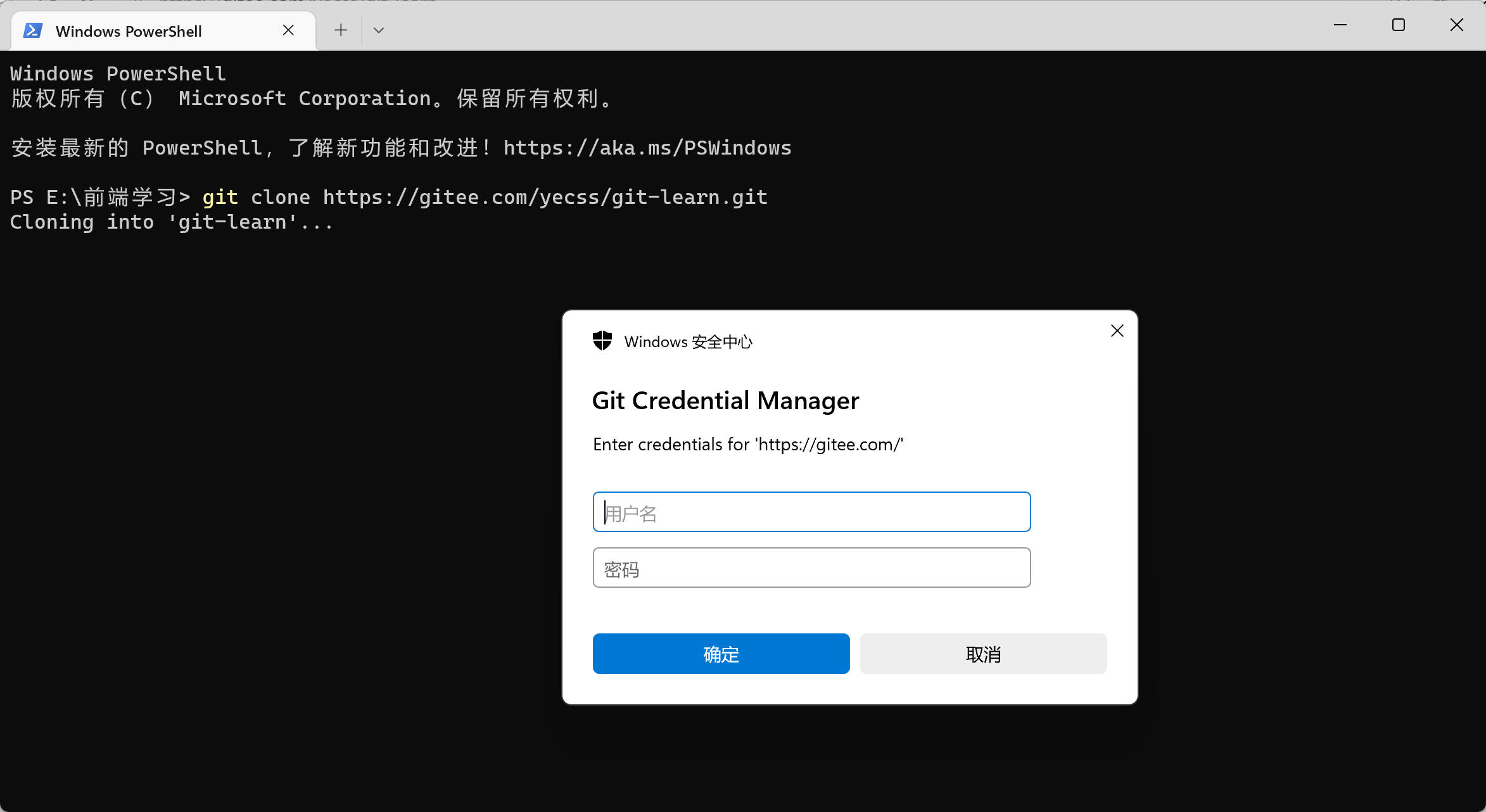
输入完成之后,可以看到,已经克隆成功。
状态简览
Bash
git status

git status -s
# 简单的查看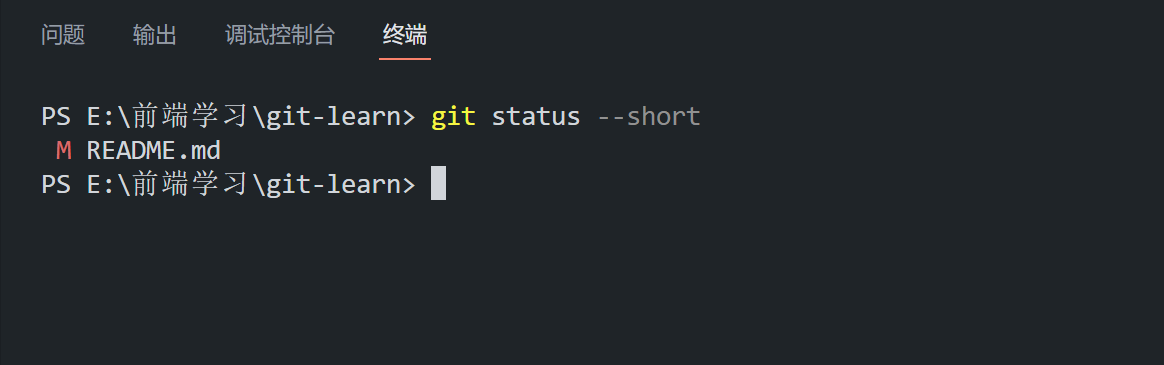
暂存文件
Bash
git add .
git add *
git add 文件名
推送文件
Bash
git push origin master

# origin -- 远程仓库的别名
# master -- 推送到 master 分支
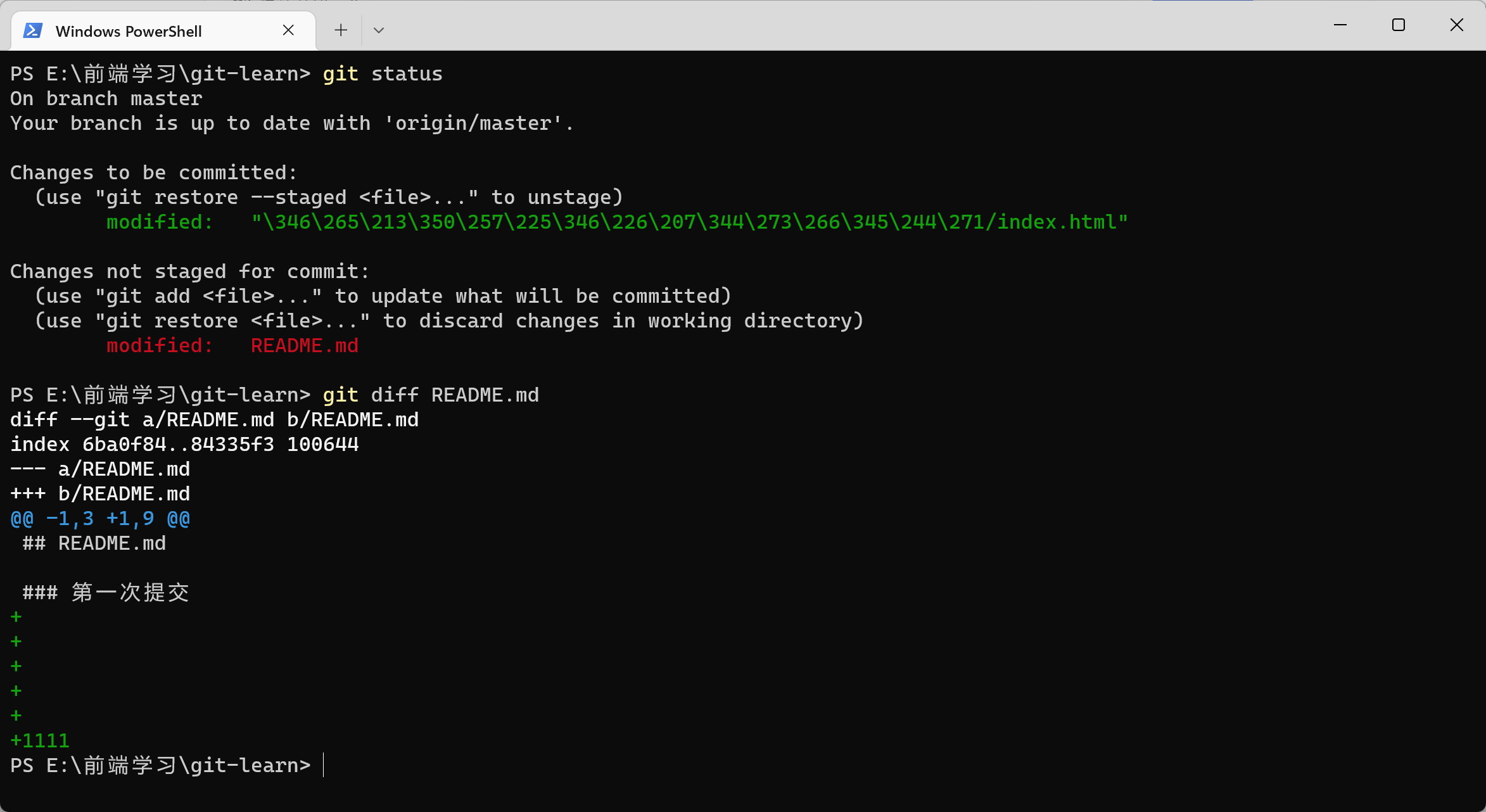
查看文件的修改
先修改文件,但是先不暂存,然后运行 git diff
Bash
git diff 文件名
# git diff README.md
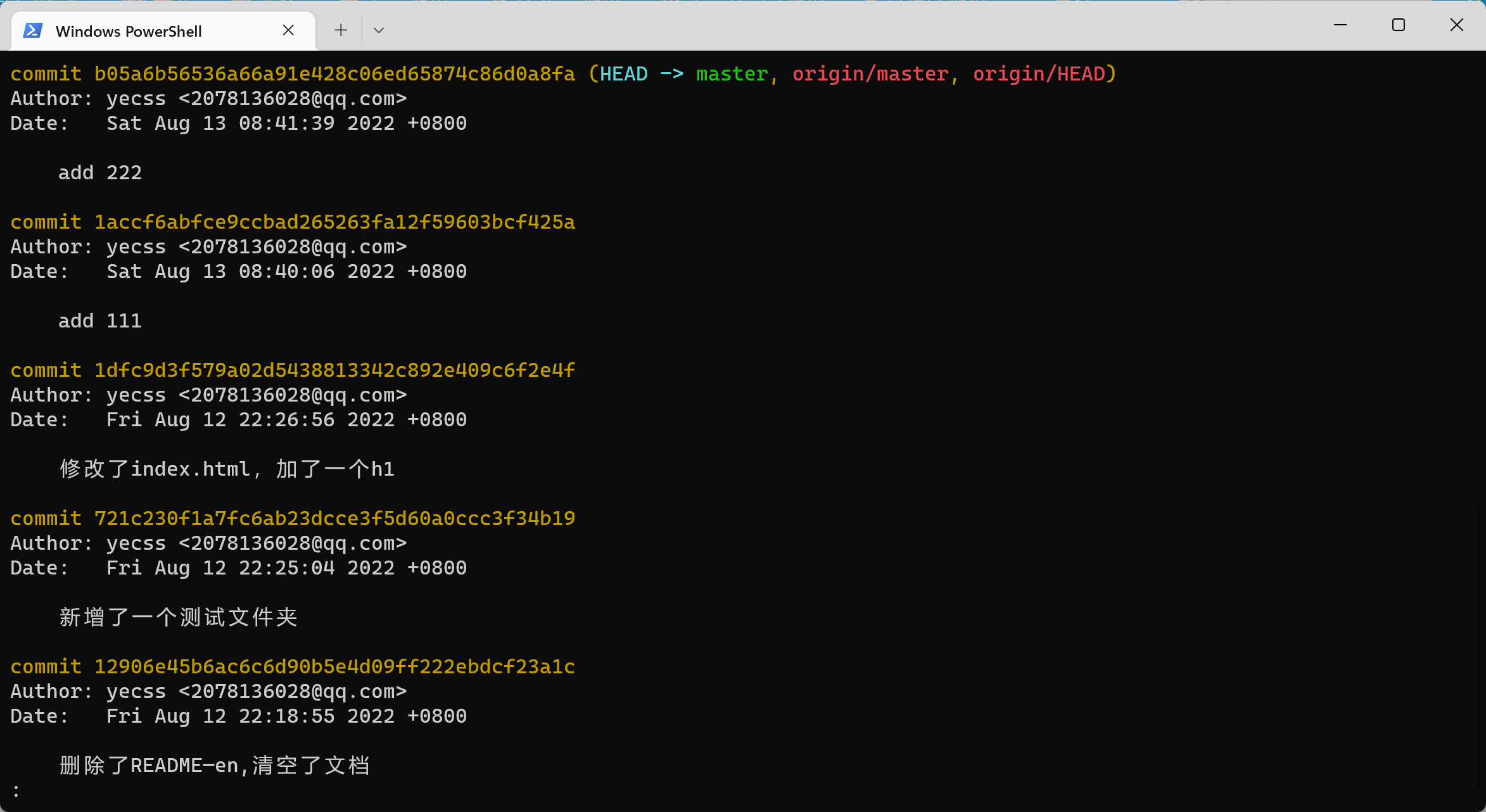
查看历史记录
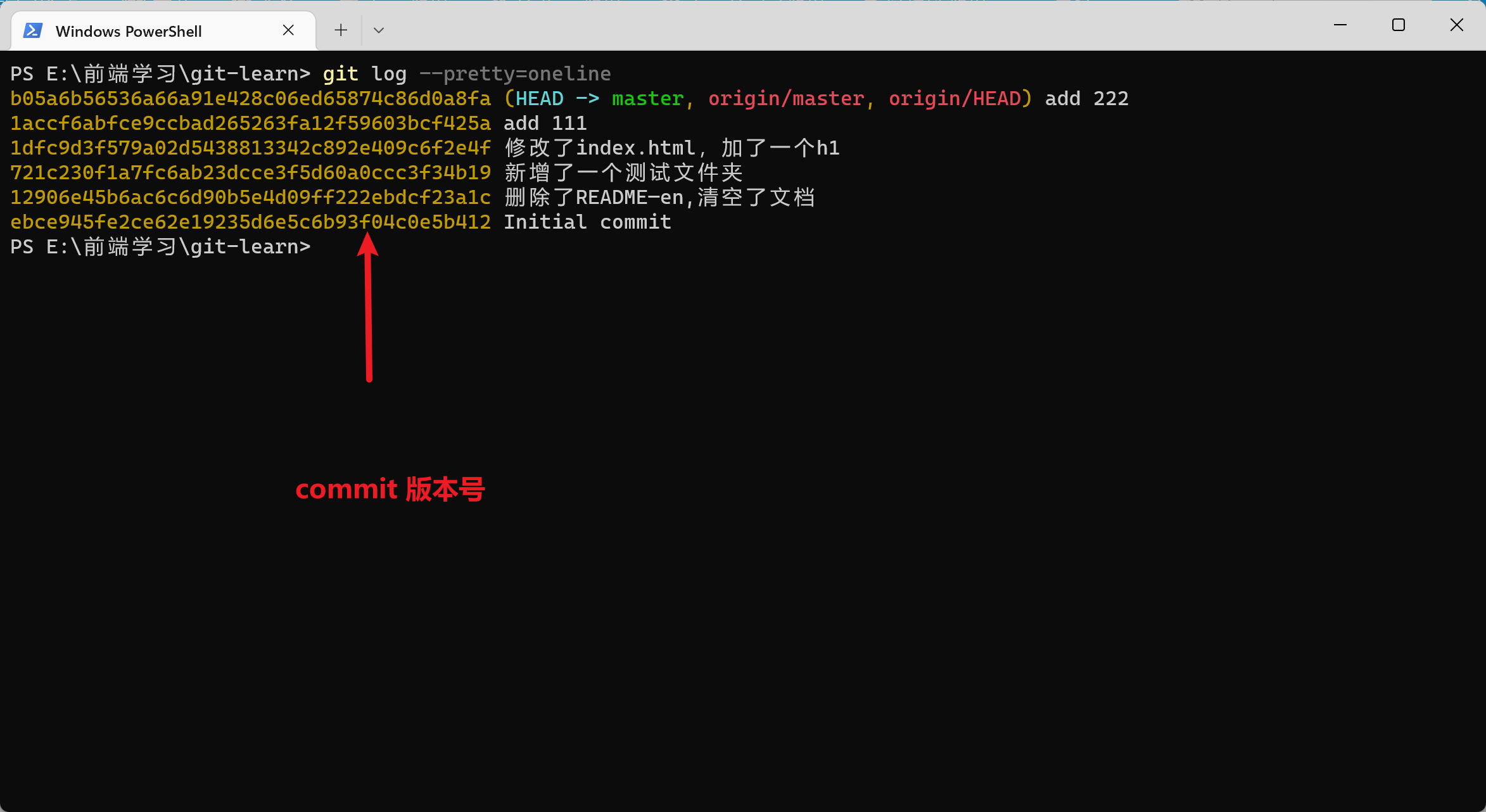
Bash
git log

# 简洁版 git log --pretty=oneline
# 图表形式查看分支 git log --graph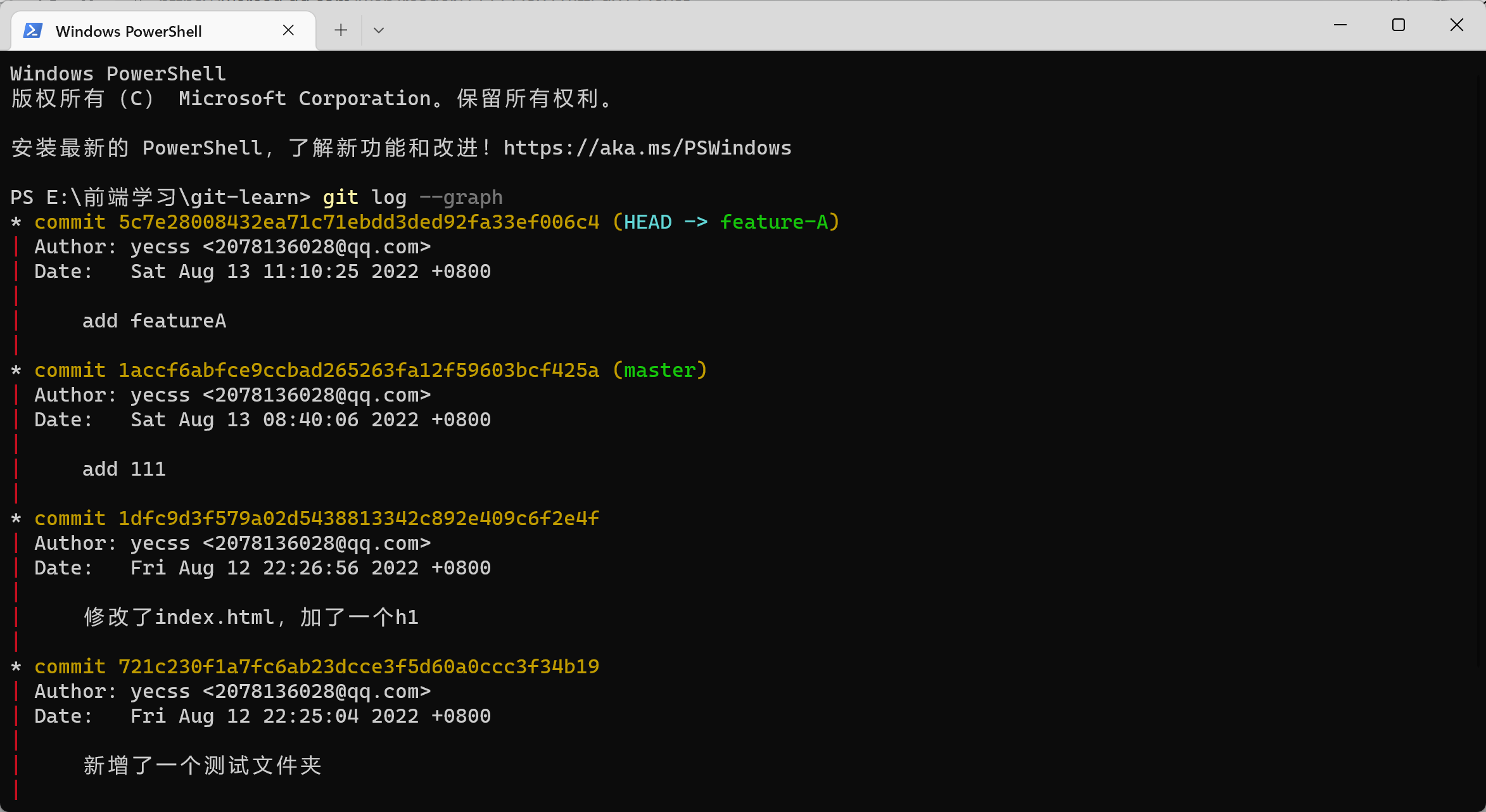
小技巧!
使用字母 q 退出处于输入状态下的 git log
文件回滚
已经修改但是还没有暂存(stage)的文件可以使用以下命令回滚到之前的文件
Bash
git checkout <filename>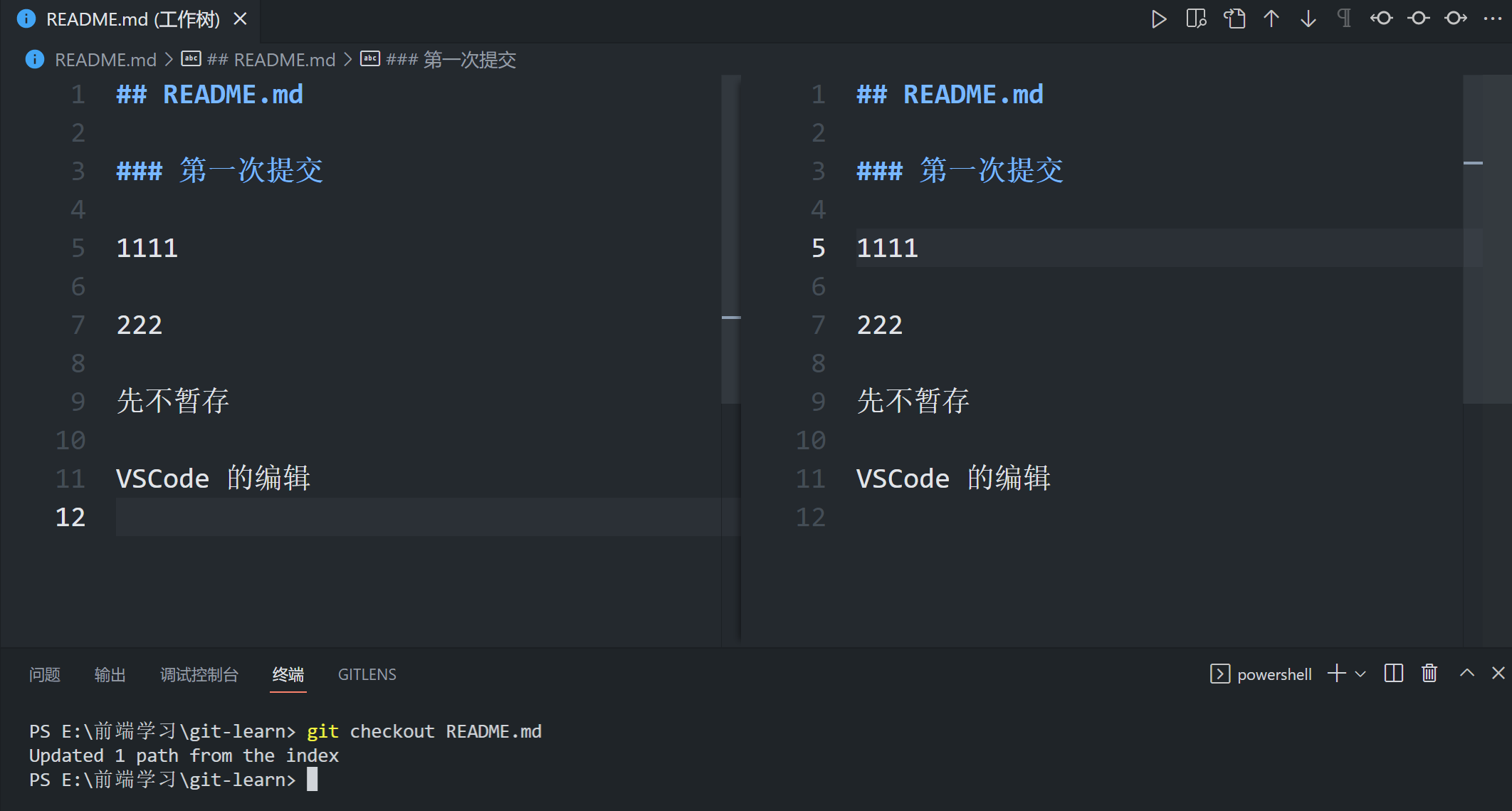
对于已经提交(commited)的文件可以使用以下方式回滚。
首先,Git必须知道当前版本是哪个版本,在Git中,用HEAD表示当前版本,也就是最新的提交1094adb...(注意我的提交ID和你的肯定不一样),上一个版本就是HEAD^,上上一个版本就是HEAD^^,当然往上100个版本写100个^比较容易数不过来,所以写成HEAD~100。
Bash
git reset --hard HEAD^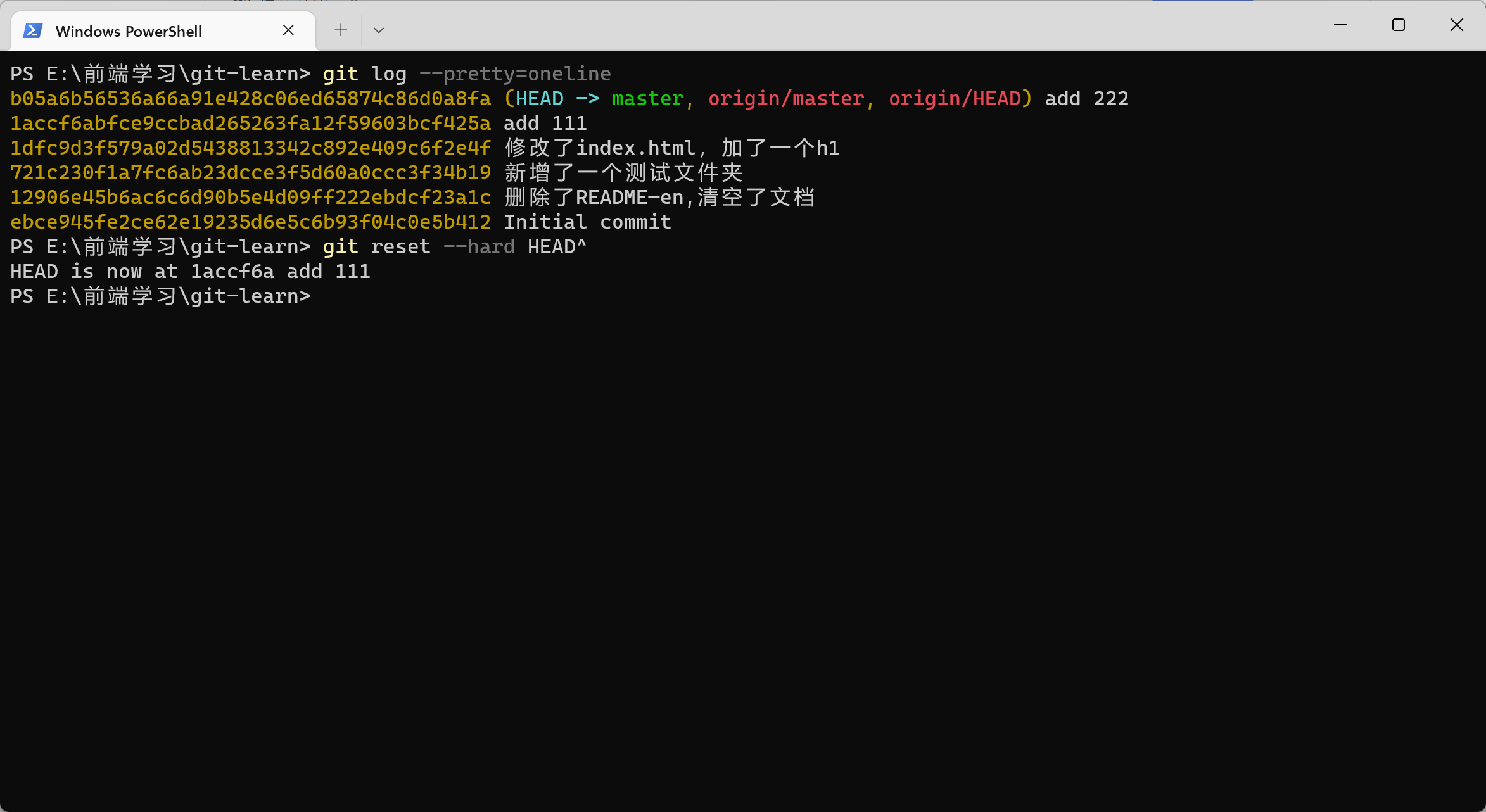
Git rest 的参数
--hard:不保存所有变更
--soft:保留变更且变更内容处于Staged
--mixed:保留变更且变更内容处于Modified
分支操作
git branch- 查看所有分支git branch -D 分支名- 删除分支
Bash
git branch feature-A
# 创建分支

git checkout feature-A
# 切换分支

git checkout -
# 切换回上一个分支

# 快速 git checkout -b feature-A
# git checkout -b a 在当前分支的基础上新建一个 a 分支
合并分支
在 master 分支下,合并 b 分支提交的内容
首先进入 master 分支
然后执行以下操作
Bash
git merge b忽略文件
Bash
.gitignoreGit与Github 远程仓库
git pull - 从远程拉取更改
git push - 推送到远程
当远程仓库的版本号高于本地仓库时,需要我们先pull 再去 push
(这个pull 的过程其实就是本地仓库和远程仓库合并的过程,而这个过程也有可能产生冲突。
设置代理
有时候配置了V2ray但是推送和拉取还总是超时,原来是没走代理,得需要手动配置如下:
1.http || https协议
bash
//设置全局代理
//http
git config --global https.proxy http://127.0.0.1:1080
//https
git config --global https.proxy https://127.0.0.1:1080
//使用socks5代理的 例如ss,ssr 1080是windows下ss的默认代理端口,mac下不同,或者有自定义的,根据自己的改
git config --global http.proxy socks5://127.0.0.1:1080
git config --global https.proxy socks5://127.0.0.1:1080

//只对github.com使用代理,其他仓库不走代理
git config --global http.https://github.com.proxy socks5://127.0.0.1:10808
git config --global https.https://github.com.proxy socks5://127.0.0.1:10808
//取消github代理
git config --global --unset http.https://github.com.proxy
git config --global --unset https.https://github.com.proxy

//取消全局代理
git config --global --unset http.proxy
git config --global --unset https.proxy
2.SSH 协议
csharp
//对于使用git@协议的,可以配置socks5代理
//在~/.ssh/config 文件后面添加几行,没有可以新建一个
//socks5
Host github.com
User git
ProxyCommand connect -S 127.0.0.1:1080 %h %p

//http || https
Host github.com
User git
ProxyCommand connect -H 127.0.0.1:1080 %h %p
参考文章:
[Git设置代理_马全鑫的博客-CSDN博客_git 设置代理](
查看git 的全局配置
Bash
git config --global -l